
Reaching Customer Support
Our Customer Support team is dedicated to providing quick, effective assistance when you need it the most. We are fully staffed from 8 a.m. - 8 p.m. EST M-F. You can email our team at anytime by reaching out to support@prepared911.com. If something critical occurs outside of our normal business hours, you will be provided with instructions for how to reach our on-call Support team.
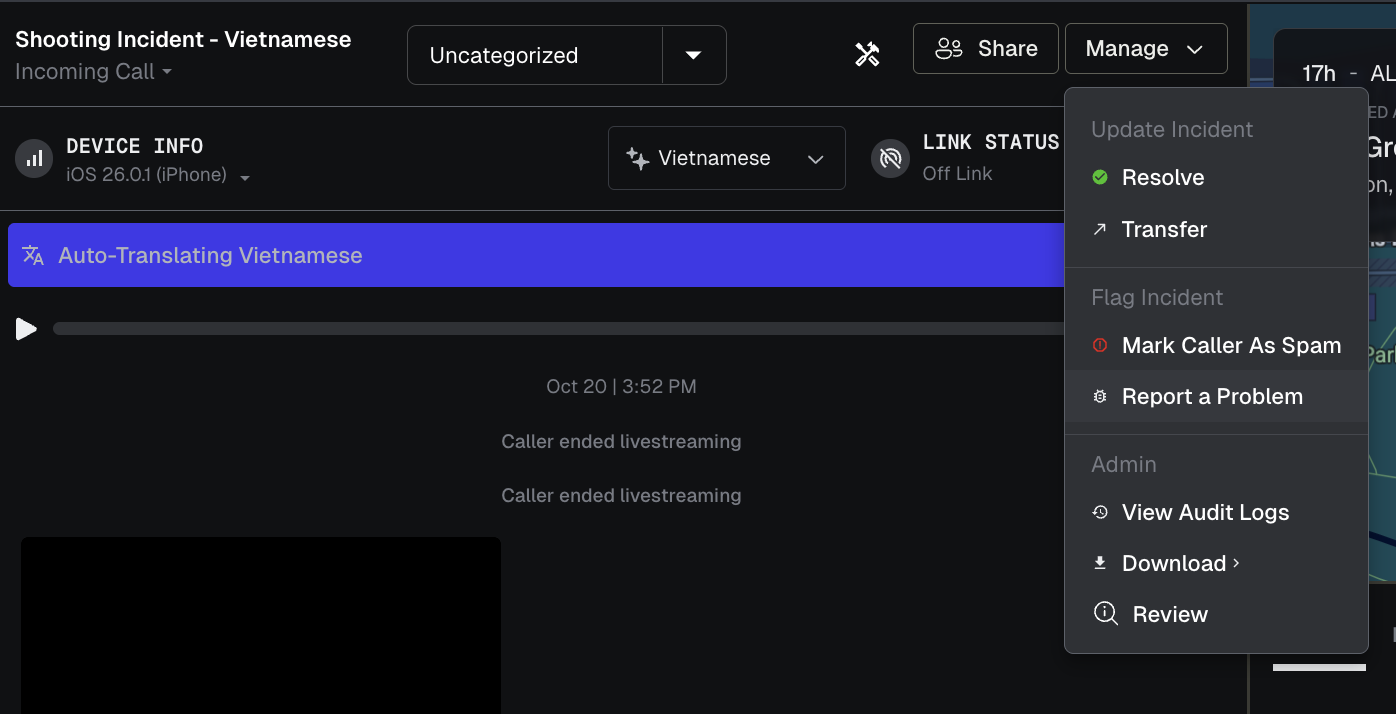
When an issue occurs while you are on an active call, you can report the issue from within the call itself! This will provide our Support team with pertinent information regarding the specifics of the call itself. While clicked into the call, navigate to "Manage" at the top right of the call portion. From there, you will see the ability to "Report a Problem" - anything submitted here will generate a ticket to our Support team.
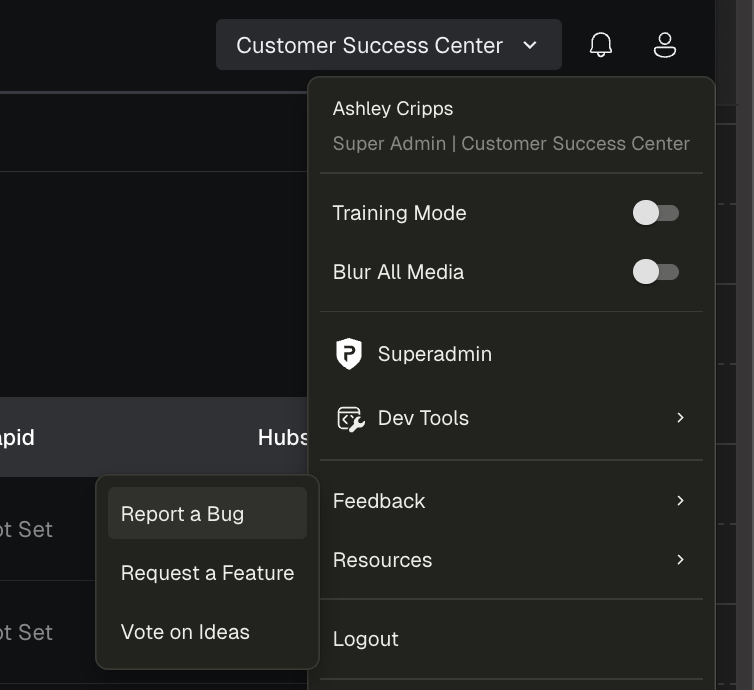
You can also report issues to Support from directly within the dashboard itself. By clicking your profile icon in the top right of your dashboard and navigating to "Feedback", you will see the option to "Report a Bug". Anything reported here will generate a ticket to our Support team as well!
When submitting a bug report, please complete all required fields so our Support team can address your issue quickly and accurately:
Subject: Provide a short summary of the problem (for example: “Unable to load dashboard”).
Description: Share as many details as possible, including steps to reproduce the issue, what you expected to happen, and what actually occurred. If the behavior was experienced during an Incident, be sure to include the Incident’s Chatroom ID (this is a long string of numbers and letters, and can be retrieved from the end of an Incident’s URL).
Category: Select the category that best fits your issue (e.g., dashboard, call experience, notifications).
Urgency: Let us know how critical the issue is to your workflow.
Name and Email: These are auto-filled, but please confirm they’re correct so we can follow up with you.
The more detail you provide, the faster we’ll be able to troubleshoot and resolve the issue!