
What3Words
Product: Prepared
Audience: Call Takers, Dispatchers, Supervisors, and Administrators
Last Updated: 03/04/2025
Outcome Statement
After reading this section, you will be able to use the What3Words integration within Prepared Live to visualize and share a caller's exact location using a unique three-word combination.
Overview
The What3Words integration with Prepared Live allows you to visualize a caller’s location in a precise 3-meter square using a unique combination of three words. This integration helps you identify hard-to-find locations, such as building entrances, rural areas, and parks, where street addresses may be imprecise or unavailable.
Prerequisites
✅ Integration with What3Words enabled in Prepared Live.
How to Use the What3Words Integration
Step-by-Step Instructions
Step 1: Send the Prepared Live Link
Send the Prepared Live link to the caller. This will enable you to request their location data.
Step 2: Request Location Data
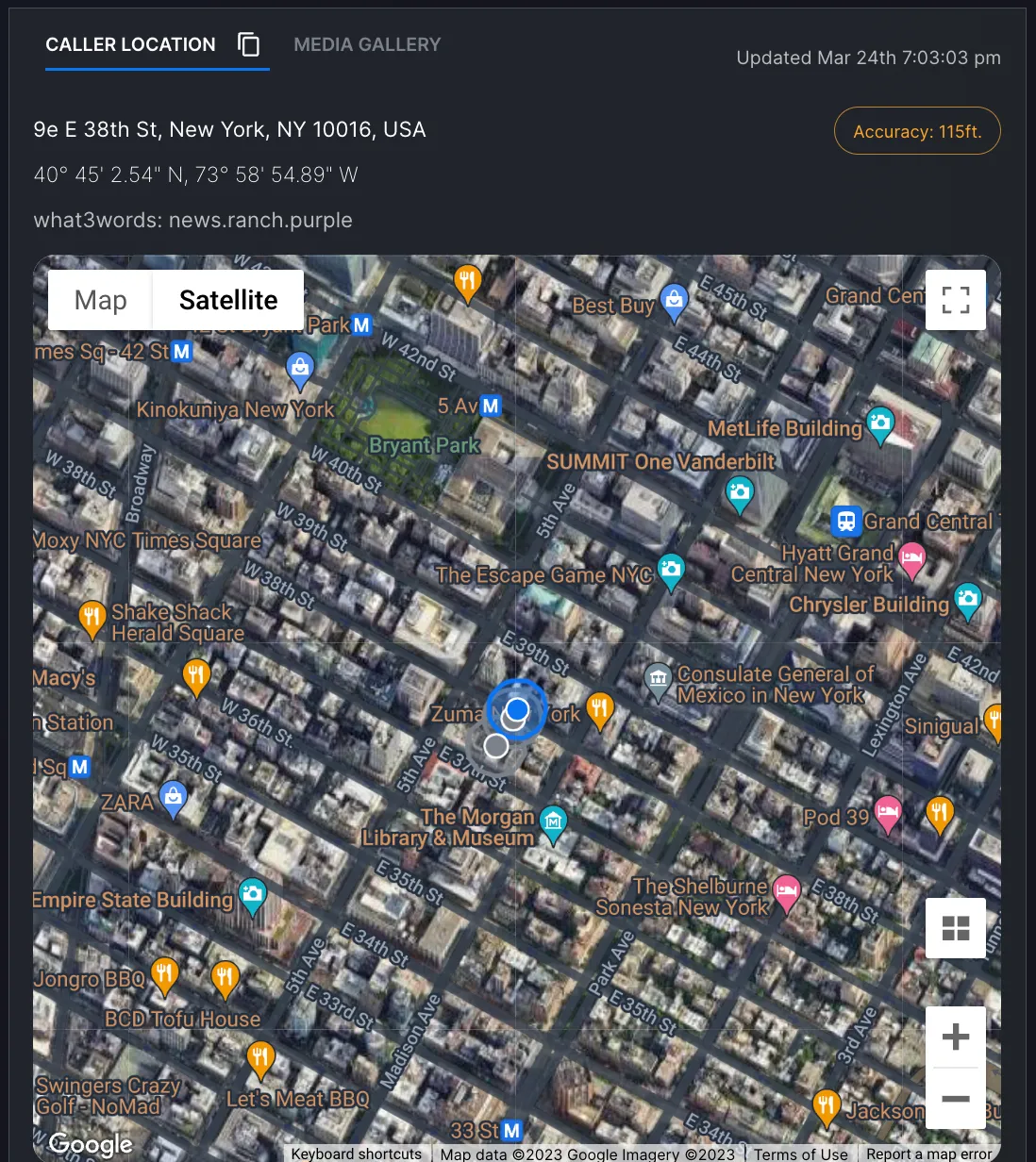
Once the caller receives the link, ask them to share their location. When the location is gathered, it will display as a What3Words square combination.
Step 3: View the What3Words Square Combination
Once the location is collected, the system will show the unique three-word combination corresponding to the caller’s position.
Step 4: Access the What3Words Map
By clicking on the What3Words link, you will be directed to the What3Words map to view the exact location.
Example map link: What3Words Map Example
Here’s a demo video of the feature:
Does the What3Words Location Get Shared with the Responder?
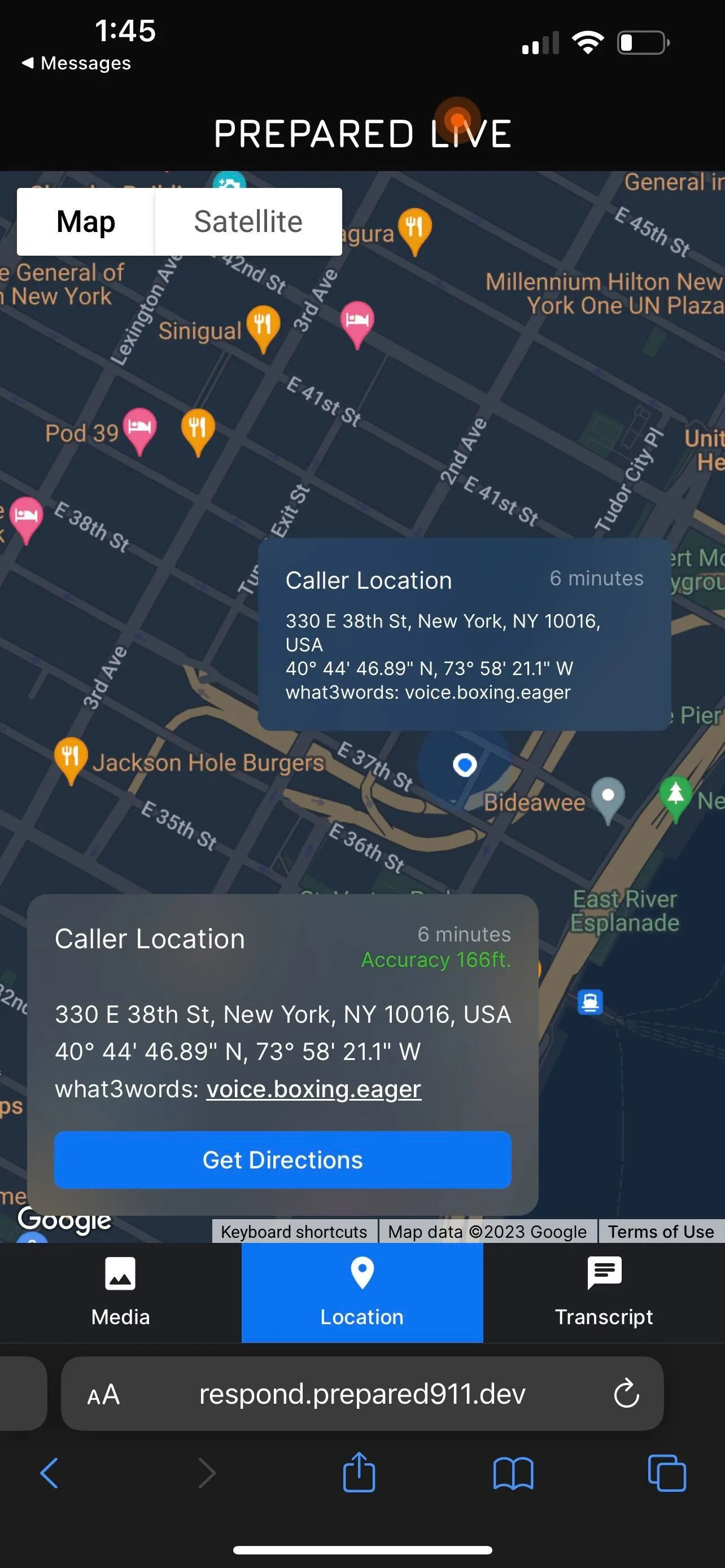
Yes, if the responder has access to the OnScene link, they will also see the What3Words location.
FAQ
Question | Answer |
|---|---|
What is the What3Words integration? | The What3Words integration allows Prepared Live users to visualize the caller's location using a unique three-word combination, corresponding to a 3-meter square location. |
Why is What3Words valuable? | Street addresses often don’t work well for precise locations in parks, rural areas, or entrances. What3Words provides an easy way to identify and share exact locations using a combination of three words. |
How do I request the location using What3Words? | Send a Prepared Live link to the caller, request their location, and the system will provide a What3Words square combination. |
Can responders see the What3Words location? | Yes, responders with access to the OnScene link will be able to see the What3Words location. |
Where can I view the What3Words location on a map? | You can click the What3Words link to open the location on a map. You can also view it in the Prepared Live interface. |
Support & Additional Resources
Contact Prepared Support: Support@prepared911.com