
Location
Product: Prepared ANET
Feature: Verified Location
Audience: Call Takers, Dispatchers, Supervisors, Administrators
Last Updated: 05/08/2026
Support: Support@prepared911.com
Outcome
After completing this guide, you will understand how ANET’s Verified Location feature works, how to configure it within your environment, and how the system verifies spoken caller locations during non-emergency call workflows.
Overview
ANET’s Verified Location feature converts a caller’s spoken description of a location into a structured, verified address that can be used confidently for dispatch and response workflows.
During a call, ANET:
Listens to how the caller describes their location
Interprets the spoken location
Verifies the location against mapping and geolocation services
Reads the interpreted location back to the caller
Asks the caller to confirm whether the location is correct
Stores both:
the original spoken location, and
the verified location
This feature helps agencies manage non-emergency calls where automatic location data is unavailable.
Why Verified Location Matters
Unlike traditional 911 calls, most 10-digit non-emergency calls do not include automatic location data such as ANI/ALI.
As a result:
callers may describe locations informally,
addresses may be incomplete or unclear,
and dispatchable incidents may still require accurate location verification.
Examples of spoken caller descriptions include:
“by the Walmart”
“128… no, 182 Main”
“southbound highway near mile marker 12”
Verified Location helps ANET collect and confirm location details similarly to how a trained call taker would manually verify information.
Supported Location Types
ANET can verify several types of locations, including:
Street addresses
Cross streets
Business names
Chain businesses
Landmarks
Parks
Highway directions and mile markers
Before You Begin
Before using Verified Location:
Verified Location must be enabled within your ANET environment
Your intent configuration must include a location-related follow-up question
Example:
“Where did the incident occur?”
Configure Verified Location
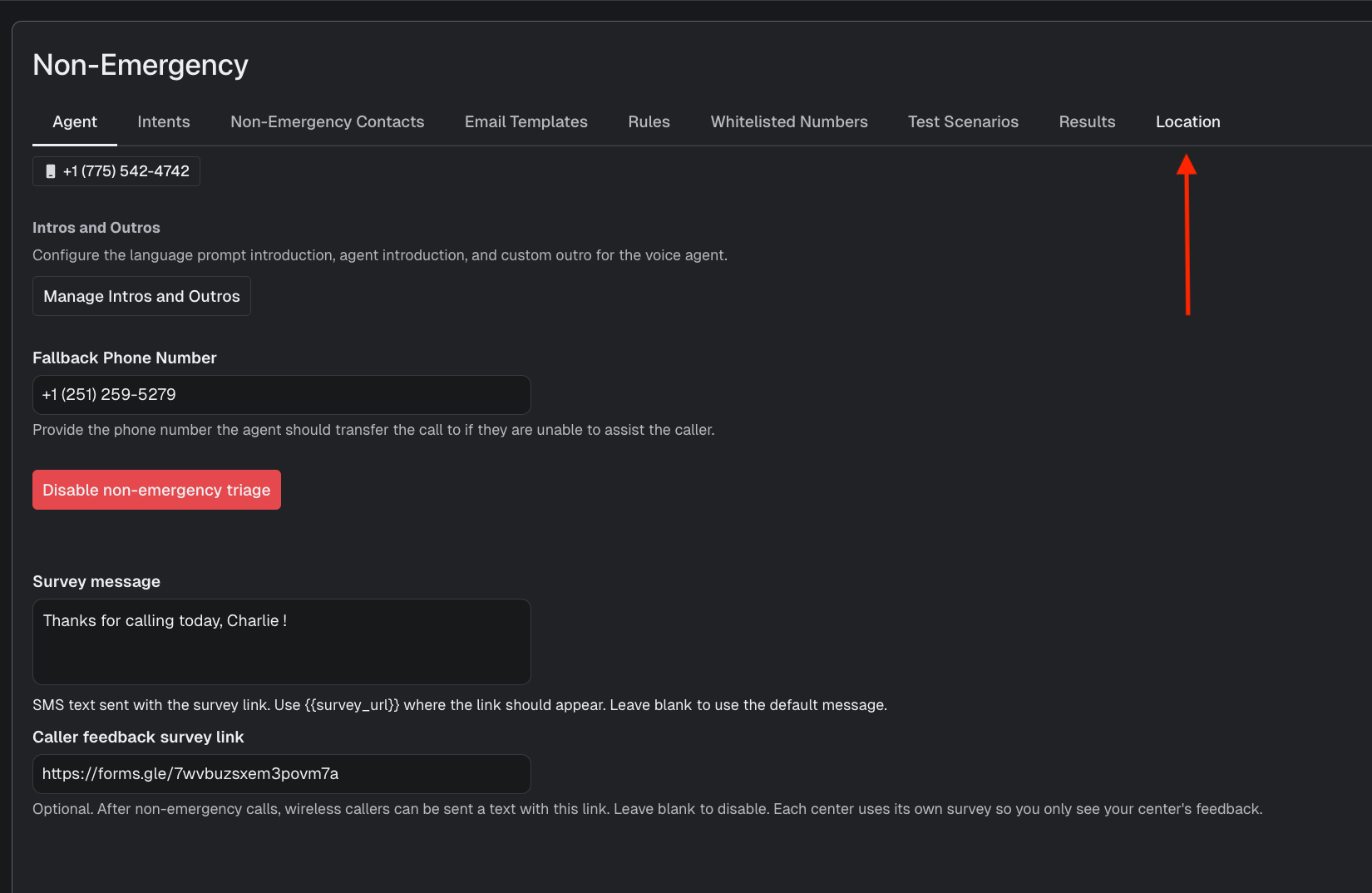
Step 1: Open the Location Tab
From your ANET non-emergency environment, navigate to the Location tab.
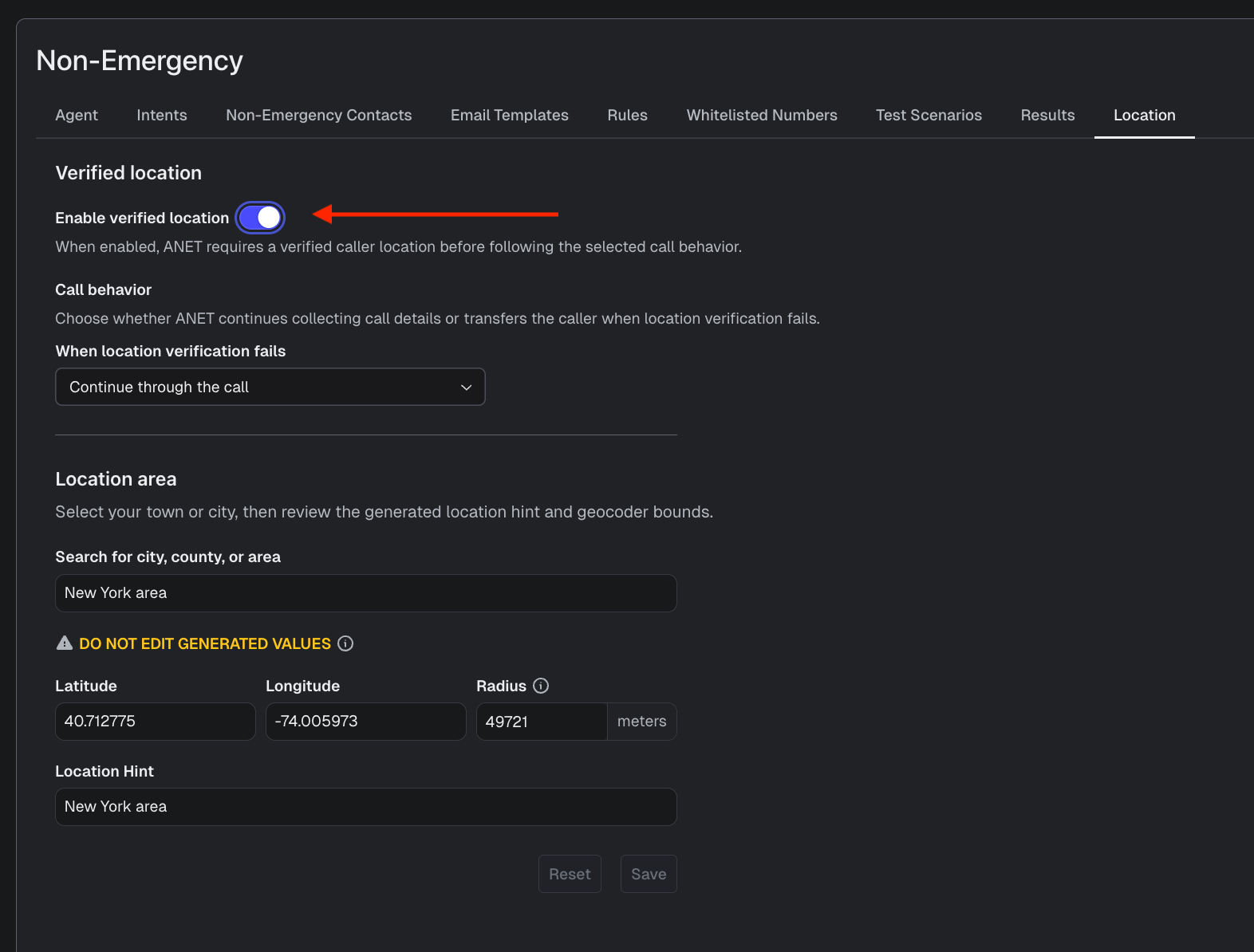
Step 2: Enable Verified Location
Turn the Enable Verified Location toggle ON.
When enabled:
ON = Blue
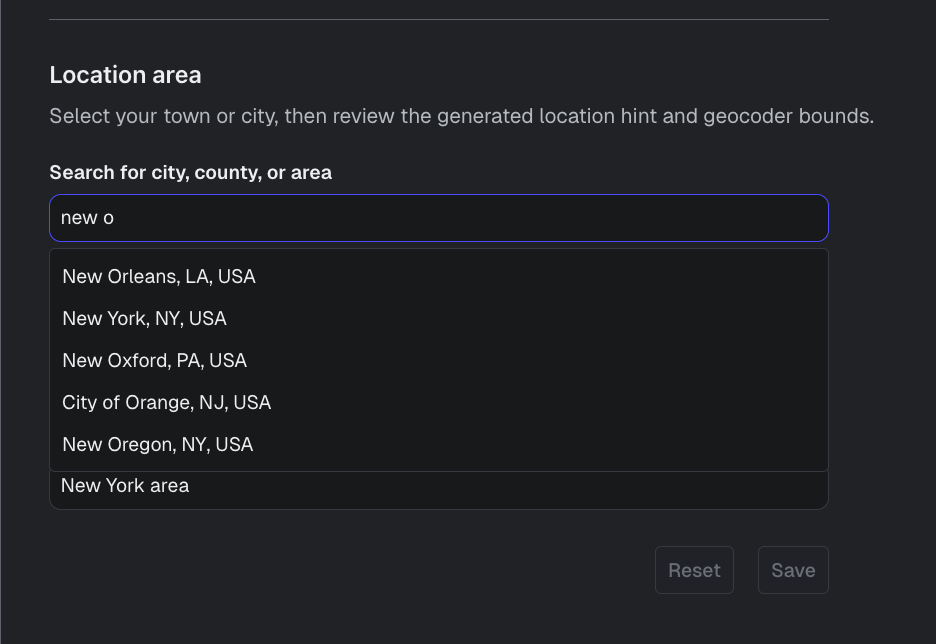
Step 3: Select a City
Search for and select the city or jurisdiction you want ANET to use during location verification.
Examples include:
New York
Los Angeles
Seattle
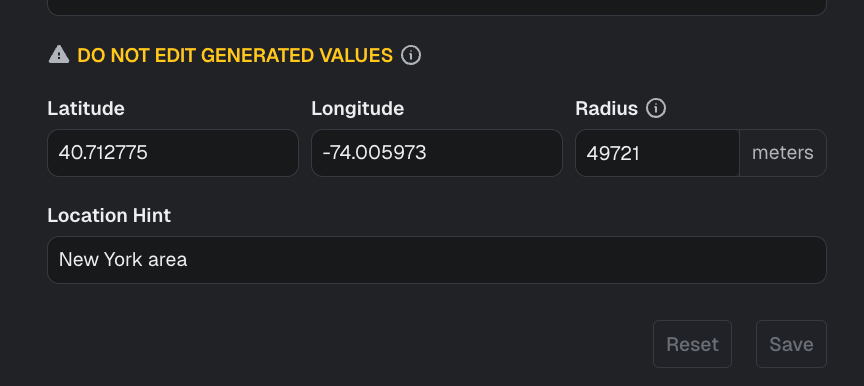
After selecting a city, ANET automatically generates configuration values for that jurisdiction.
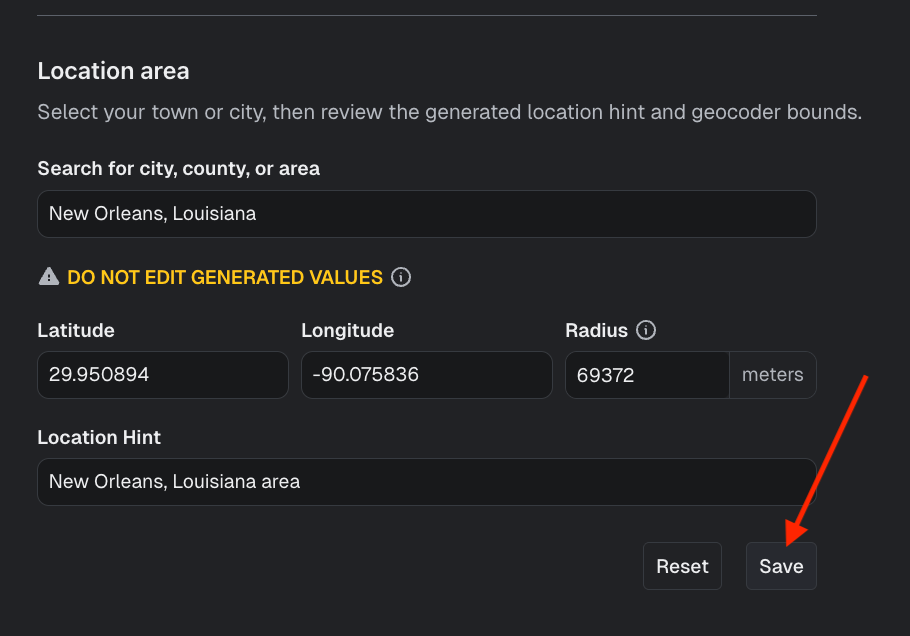
Step 4: Save Your Configuration
Select Save to apply the configuration.
Important Configuration Notes
Do not manually edit any automatically generated configuration values.
These fields are displayed for engineering visibility and troubleshooting purposes only.
Editing these values may cause:
inaccurate verification behavior,
failed demos,
or unsuccessful location matching.
How Verified Location Works During a Call
Step 1: Caller Provides a Location
The caller describes where the incident occurred.
Example:
“I last saw it at the corner of 82nd and 3rd Avenue on the Upper East Side.”
Step 2: ANET Performs Location Verification
ANET:
transcribes the spoken location,
searches for matching locations,
and prioritizes results relevant to the configured service area.
Verification may use:
Google geolocation services
ESRI mapping layers (when configured)
Step 3: ANET Reads the Location Back
ANET asks the caller to confirm the interpreted location.
Example:
“I found East 82nd Street and 3rd Avenue in New York. Is that correct?”
Step 4: Caller Confirms or Corrects
If the caller confirms
The location is marked as verified.
Example:
“Yes.”
If the caller corrects the location
ANET asks follow-up questions and attempts verification again.
Example:
“No, it was closer to Lexington Avenue.”
How ANET Handles Multiple Possible Locations
If multiple matching locations exist, ANET asks additional questions to narrow the result.
Example:
“I found multiple Chick-fil-A locations nearby. Can you share cross streets, landmarks, or additional details?”
This helps improve dispatch accuracy for chain businesses and commonly named locations.
What Happens If a Location Cannot Be Fully Verified?
If ANET cannot confidently verify a structured address, the system preserves the caller’s spoken wording instead of guessing.
Examples may include:
“two thirty two ninety second street”
“one twenty eight main”
“southbound interstate near mile marker twelve”
This reduces the risk of incorrect dispatch information caused by uncertain address interpretation.
Insights View
The Insights View displays both:
Field | Description |
|---|---|
Spoken Location | The caller’s original spoken wording |
Verified Location | The structured location confirmed by ANET |
Verified locations can also be:
viewed in Google Maps,
displayed within archived call records,
and mapped using the same interface used by ACT.
Best Practices
Best Practice | Recommendation |
|---|---|
Use location questions in intents | Ensure every dispatchable workflow includes a location follow-up question |
Select the correct jurisdiction | Configure the city before testing or demoing calls |
Avoid editing generated fields | Modifying auto-generated values may cause verification failures |
Allow callers to clarify naturally | ANET performs best when callers can describe locations conversationally |
Review spoken vs verified locations | Compare both fields during QA and incident review workflows |
Frequently Asked Questions
Question | Answer |
|---|---|
Does Verified Location require ANI/ALI data? | No. Verified Location is designed for non-emergency calls that do not include automatic location data. |
Can ANET verify landmarks and businesses? | Yes. ANET supports landmarks, businesses, chain locations, parks, and cross streets. |
What happens if multiple locations match? | ANET asks additional follow-up questions to narrow the location. |
Can ANET distinguish between the caller’s location and the incident location? | Yes. ANET can differentiate between where the caller is currently located and where the incident occurred. |
What happens if ANET cannot confidently verify a location? | ANET preserves the caller’s original spoken wording instead of guessing an address. |
Does Verified Location work in demo environments? | Yes. The feature is now self-service and can be configured directly within supported demo environments. |
Support & Additional Resources
https://www.loom.com/share/59727705a6e24c8caab11e7040425ff9
For additional assistance or configuration support, contact: