
Security
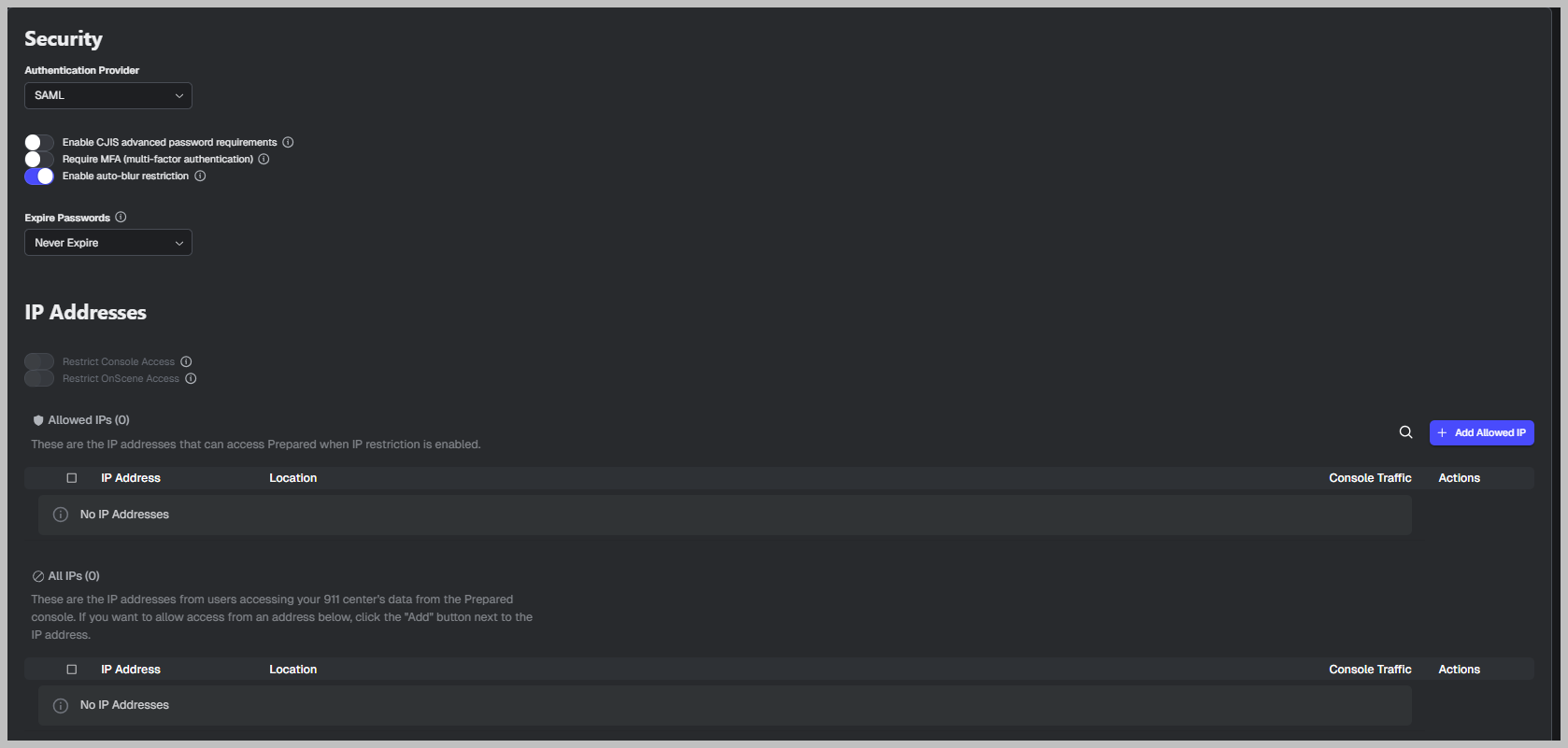
Authentication Provider
What it is
Selects how users authenticate into ACT.
What the options mean
SAML
Function: Uses your agency’s SSO identity provider for login.
Usage: Choose this when your agency requires SSO, and you have SAML configured.Password (if available in your tenant)
Function: Uses standard email + password login.
Usage: Use for smaller centers or when SSO is not implemented.
Security toggles
Enable CJIS advanced password requirements
Function
Enforces stricter password rules intended to meet CJIS-aligned requirements.
Usage
Turn on when using password-based authentication, and you require CJIS-grade password strength.
Require MFA (multi-factor authentication)
Function
Requires a second factor at login (in addition to password or SSO flow, depending on configuration).
Usage
Turn on when your agency requires MFA for security compliance.
Enable auto-logout restriction
Function
Forces automatic logout after inactivity (a session timeout).
Usage
Turn on so unattended sessions do not remain logged in on the console.
Expire Passwords
What it is
Controls whether passwords expire, and on what schedule.
Example shown: Never Expire
Function: Passwords do not force periodic reset.
Usage: Common when SSO is used (rotation handled by the identity provider) or when policy does not require rotation.
IP Addresses (IP allowlist/restrictions)
Restrict Console Access (toggle)
Function
Limits ACT console access to the IPs listed under Allowed IPs.
Usage
Turn on when ACT must only be used from PSAP networks or approved VPN/remote IPs.
Restrict OnScene Access (toggle)
Function
Limits OnScene access to approved IPs (if your agency uses OnScene workflows).
Usage
Turn on when OnScene must be restricted to specific networks.
Allowed IPs (table)
What it is
The list of IP addresses allowed when restriction toggles are enabled.
Fields shown
IP Address: the allowlisted IP
Location: label (PSAP, backup site, VPN, etc.)
Console Traffic: whether allowed for console traffic
Actions: edit/remove
Add Allowed IP (button)
Add your PSAP public egress IP(s), VPN egress IP(s), and any authorized backup facility IP(s).
All IPs (table)
What it is
A full list view of IPs (often used for auditing or review).
Usage
Confirm what IPs exist in the system and whether the allowlist is complete.
Operational warning
If you enable access restrictions before adding the correct IPs, users may be blocked immediately. Make changes during a planned window and validate from an approved network.